Pomodoro Timer for Mac

Free · No account needed · macOS 15 or later
WorkNook is a Pomodoro app for macOS. The classic 25-minute sprints are one click away, the intervals are yours to change, the countdown lives in your menu bar, and the statistics count only the minutes you actually focused.
The classic, ready to start
Four 25-minute sprints with 5-minute breaks between them.
- 25
- 5
- 25
- 5
- 25
- 5
- 25
Pomodoro Classic: 100 minutes of focus and 15 of rest, in 115 minutes.
Open the Templates tab, pick Pomodoro Classic, and the whole timeline is built for you: seven blocks, work and break in turn. Start it from the dashboard or from the menu bar. When a sprint ends you hear a sound and a break begins; when the break ends, a notification brings you back. The template is on the free plan, with no account and no time limit.
Make the Pomodoro yours
The technique says 25 and 5. Your work may say otherwise.
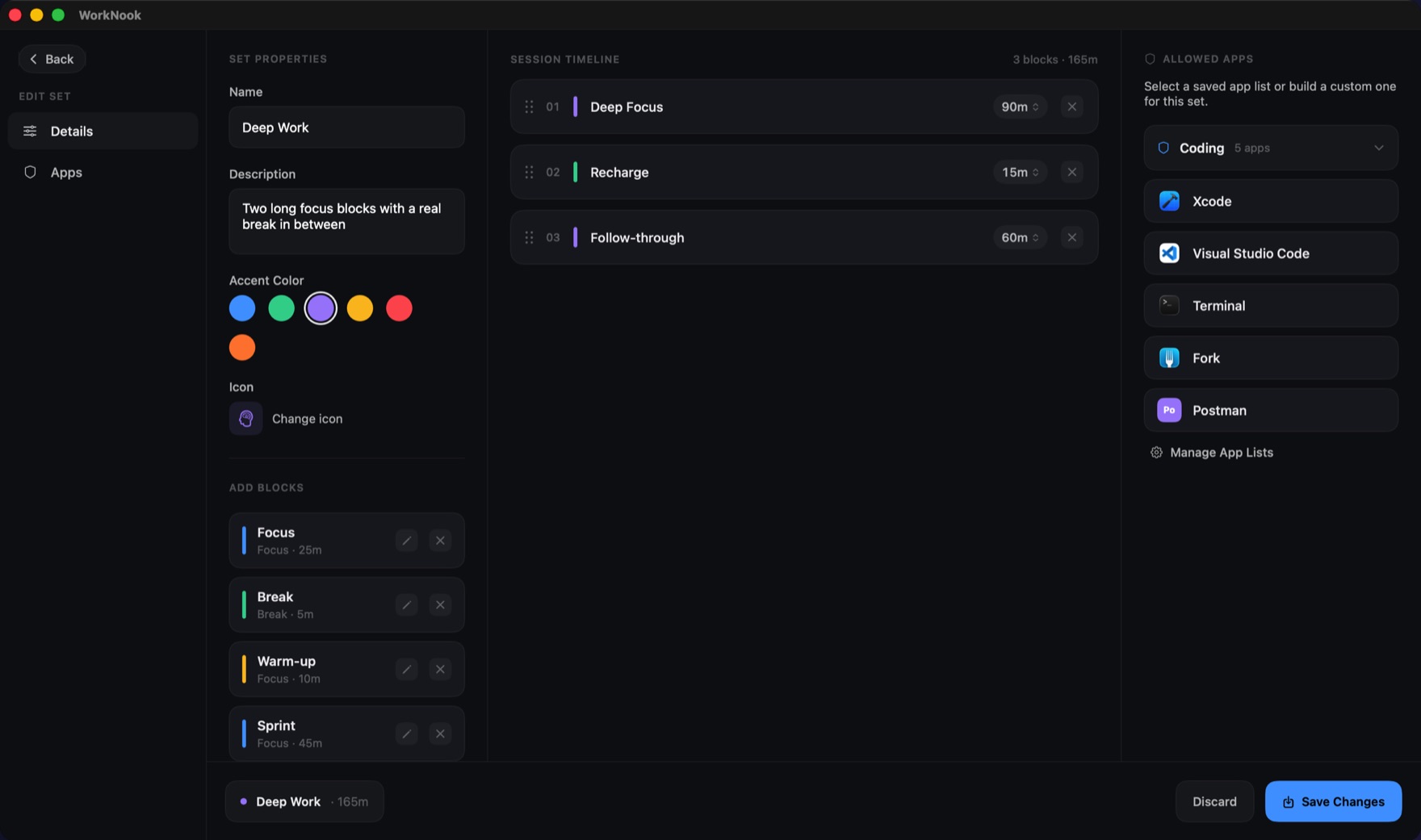
Every block in a focus set has its own length, so a Pomodoro can be 30/5, 45/15 or 25/5 with a long break after the fourth sprint. Drag blocks into the order you want, name them, and give each one its own end sound. If the classic rhythm is not yours, the catalog also has Deep Work 90, a single uninterrupted block; 52/17 Rhythm, two long stretches around a real break; and Study Session, two 45-minute halves. Save a set once and run it every day.
Any Interval
Work and break blocks of any length, in any order.
Long Breaks
A longer rest after a round of sprints, where the technique asks for one.
Reusable Blocks
Name a block once, with its own sound, and drop it into every set.
A countdown in the menu bar
Close the window. The sprint keeps going.
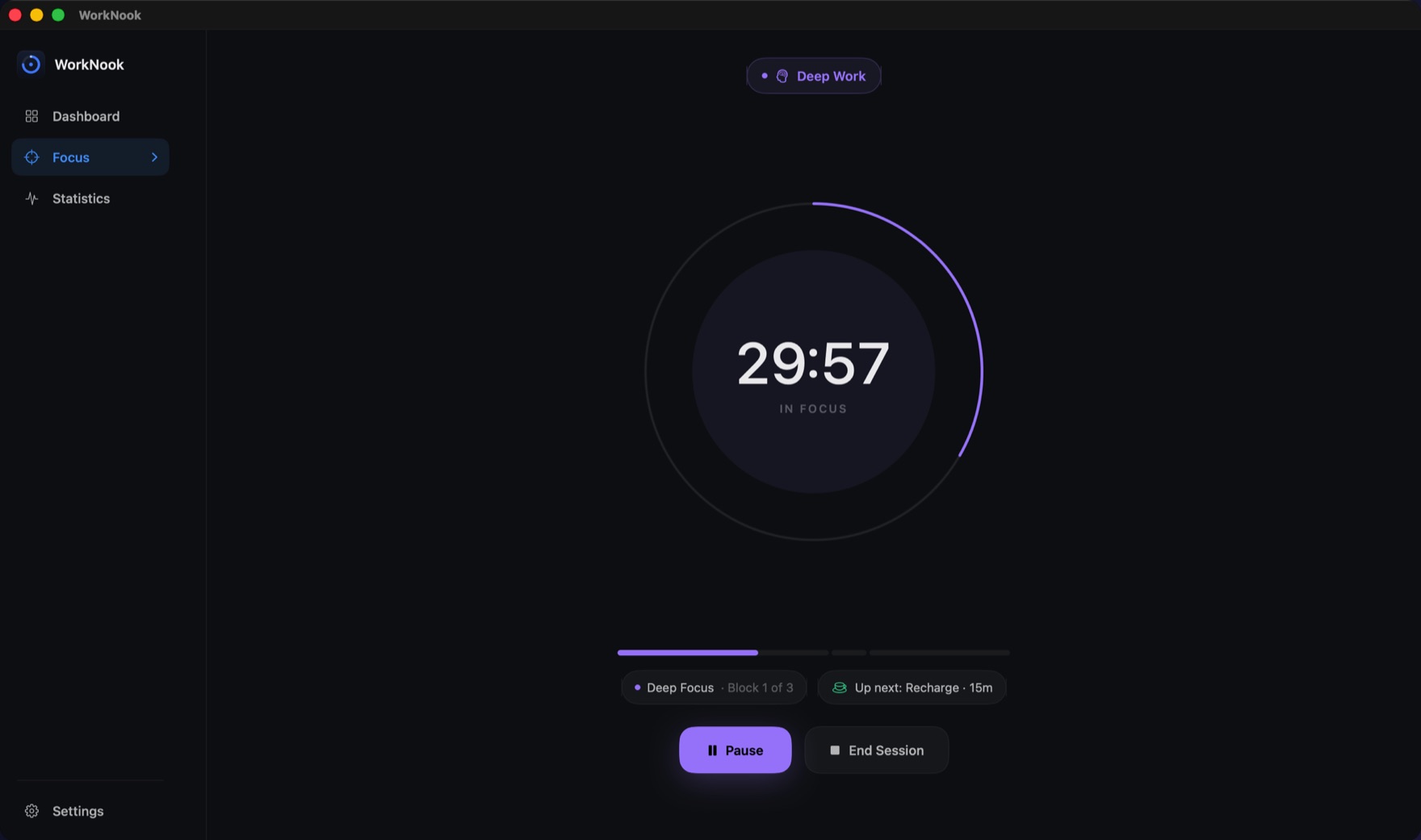
While a session runs, the time left sits in the menu bar, so the timer never needs a window of its own. Put the Mac to sleep and the session pauses by itself; wake it and carry on. If the app is quit mid-sprint, or the Mac restarts, the session is offered back on the next launch with its totals intact.
Stay on task during a sprint
A nudge, not a lock.
Each focus set names the apps that count as work: an editor and a terminal for coding, a word processor and a browser for writing. Stray into something else during a sprint and WorkNook puts a small overlay in front of you with three choices: return to work, allow this app for the rest of the session, or carry on anyway. It never blocks anything, it stays silent during breaks, and the warning can be switched off for any set. Everything it sees is the name of the app in front, on your Mac; never keystrokes, screen contents or window titles.
Numbers you can trust
Only focused time counts toward a sprint.
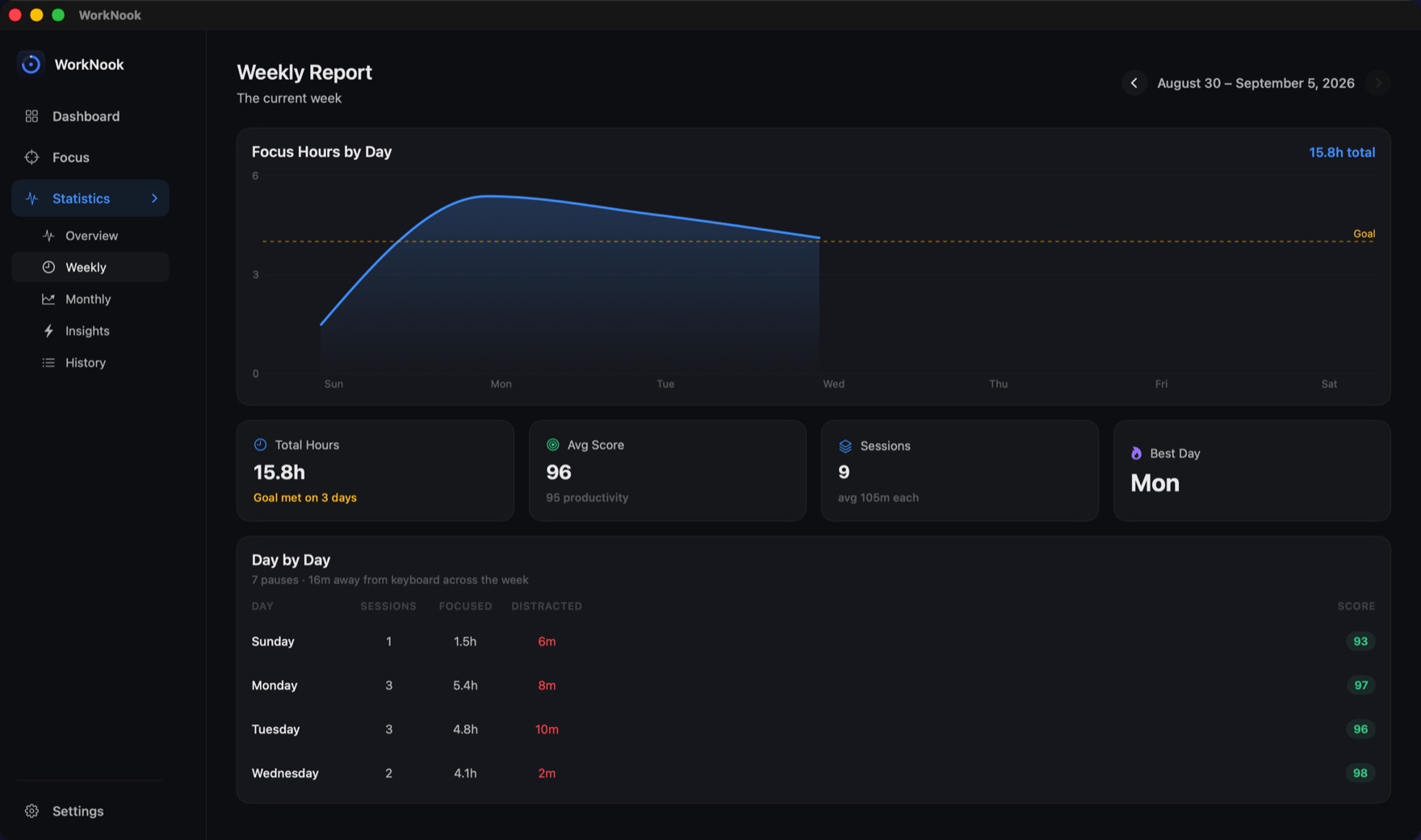
Most Pomodoro timers count every minute the clock ran. WorkNook counts the minutes you were in an allowed app. Breaks and pauses never inflate the total, and if you step away from the keyboard you can have idle stretches of three minutes or more subtracted too. Every session gets a focus score from 0 to 100, and the weekly report shows hours by day against your goal, so you know whether four Pomodoros a day is what you planned or what you did.
Daily Goal
A ring that fills with focused time only, and says when the goal is met.
Focus Score
0–100 for every session, judged Simple, Balanced or Strict.
Export
Your whole history as JSON or CSV, free on every tier.
FAQ
Is the Pomodoro timer free?
Yes. The Pomodoro Classic template, the menu bar countdown, the distraction nudge and the daily and weekly statistics are all on the free plan, with no time limit and no account. Pro adds unlimited sets, timelines of any length, your complete history and the Monthly and Insights screens: $39.99 a year, $4.99 a month, or $79.99 once.
Can I change the 25-minute and 5-minute intervals?
Yes. Every block in a focus set has its own length, from one minute up, and you can add a long break, more sprints or fewer. The free plan fits four blocks in a set when you build your own; the seven-block Pomodoro Classic template is available to everyone. Pro removes the limit.
Does the timer run in the menu bar?
Yes. The countdown sits in the menu bar while a session runs, and keeps going when the window is closed. Sleep pauses it automatically, and an interrupted session is offered back on the next launch.
Does WorkNook block apps during a Pomodoro?
No. It never locks you out. If you switch to an app that is not on the set's list, an overlay offers the way back, lets you allow that app for the rest of the session, or lets you carry on. During breaks it stays silent, and the warning can be turned off per set.
Does it need an account or any permissions?
No. Choose “Continue without an account” and everything stays on your Mac. There are no Accessibility or Screen Recording prompts. Signing in with Apple is optional, and syncs your sets and history to a second Mac.
Is there an iPhone or iPad version?
No. WorkNook is a Mac app for macOS 15 or later, on Apple silicon and Intel.
Looking for more than a timer? See WorkNook as a focus app for the Mac, or the Support page.
Start your first Pomodoro.
Free on the Mac App Store.
Free · No account needed · macOS 15 or later